
How To Make AI Homeless Prank Videos
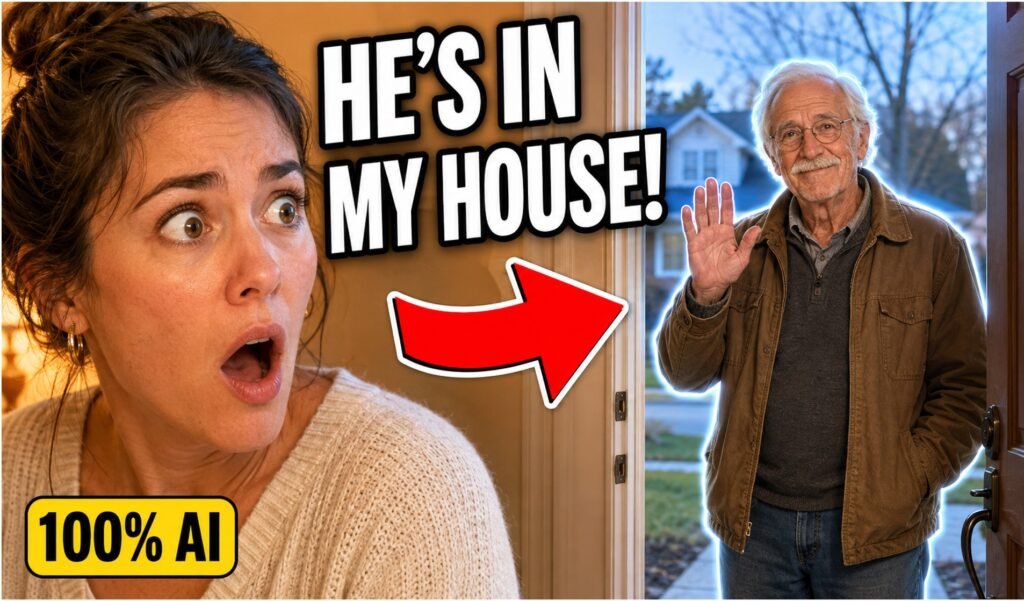
AI prank videos showing a stranger entering someone’s home have become popular online. You can recreate the effect using AI-generated images and short animations without photographing your real entrance or involving an actual unhoused person.
Step 1: Generate a Fictional House Entrance
Open OpenArt, choose its image generator, and select Nano Banana or another model that supports consistent reference images.
Set the aspect ratio to 9:16 for TikTok, Instagram Reels, and YouTube Shorts.
Prompt:
Create a photorealistic vertical smartphone photo of a fictional suburban house entrance viewed from inside the hallway. The front door is partly open, with natural daylight entering the house. Everyday interior details, realistic lighting, believable shadows, slightly imperfect handheld composition, no people, no text, 9:16.
Generate several versions and download the most realistic one.
I Compared 5 Viral AI Homeless Man Prank Tools and Here’s the Best
Step 2: Add a Fictional Stranger
Upload the entrance image as an Omni Reference or reference image. This helps preserve the door, camera angle, and lighting.
Avoid using a real person’s face or portraying unhoused people as dangerous.
Prompt:
Using the reference image, place a fictional elderly adult standing peacefully outside the open door. He is wearing simple, weathered casual clothing and carrying a small backpack. Keep the original entrance, perspective, lighting, shadows, and smartphone-photo appearance unchanged. The person must look natural and non-threatening. Photorealistic, 9:16, no text.
Download your preferred result.
Step 3: Turn the Image Into a Video
Open the video-generation section and select Kling 2.5 or another available image-to-video model.
Upload the image containing the fictional stranger.
Animation prompt:
A realistic handheld smartphone video. The fictional elderly man smiles gently, gives a small wave, and slowly steps through the doorway. Preserve his identity, clothing, surroundings, lighting, and camera position. Natural body movement, realistic shadows, no sudden motion, no distortion.
Keep the clip short—about five seconds usually works well.
Step 4: Create a Second Scene
Return to the image generator and upload your previous image as the reference. This helps maintain the same character and visual style.
Trampoline image prompt:
A view from inside the same fictional house, looking through a window toward the backyard. The same fictional elderly man, wearing exactly the same clothes, is standing on a trampoline. Preserve his face and appearance. Natural daylight, realistic backyard, believable window reflections, casual smartphone photography, photorealistic, 9:16.
Step 5: Animate the Second Scene
Upload the trampoline image to the video generator.
Animation prompt:
A handheld smartphone recording from inside the house. The same elderly man gently bounces on the trampoline several times, gradually going slightly higher. Natural movement, realistic clothing physics, consistent face, stable background, believable daylight and shadows.
Step 6: Share the Prank Responsibly
Send the clip only to someone who is unlikely to panic. Reveal that it is AI-generated immediately if they become worried.
Before publishing:
- Get permission from anyone whose reaction appears in the video.
- Add an “AI-generated” label.
- Do not show real addresses, family photographs or identifying details.
- Never use the prank to humiliate unhoused people or suggest they are dangerous.
Bonus: Pizza Delivery Variation
You can use the same process for a lighter and less sensitive scenario.
Image prompt:
Using the fictional entrance reference, add a fictional pizza delivery worker standing outside the open door. The worker wears a generic red polo shirt and plain cap and is holding an unbranded cardboard pizza box. Preserve the entrance, perspective, lighting and shadows. Photorealistic smartphone photo, 9:16, no logos or text.
Video prompt:
The fictional pizza delivery worker slowly steps inside, looks confused, accidentally tilts the pizza box, catches it, and awkwardly steps backward. Realistic movement, consistent character, natural lighting, believable shadows and a stationary handheld camera.

