
Best AI Tools for Matching B-Roll to Live-Action Footage
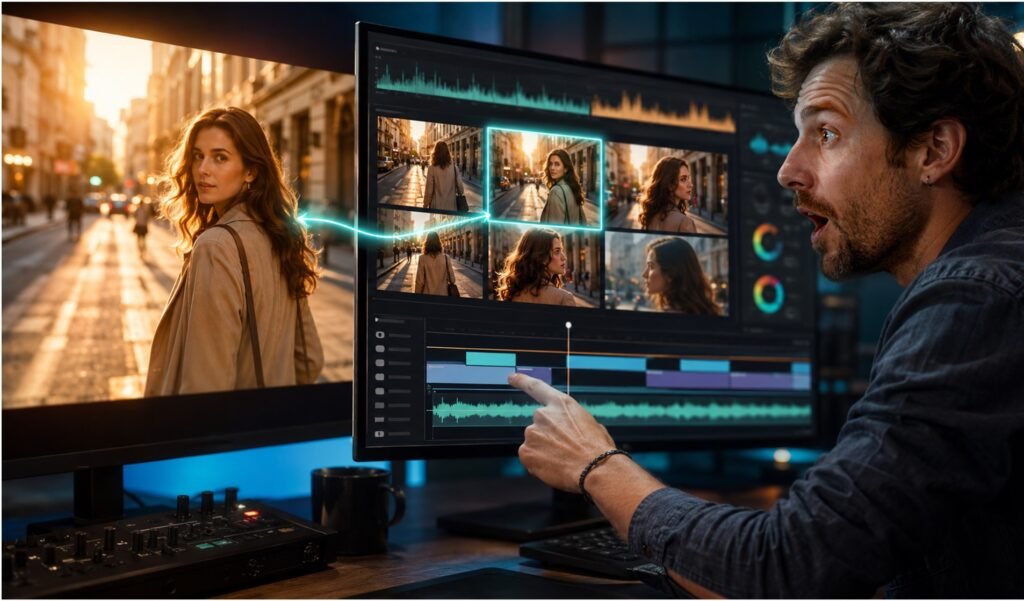
Best AI Tools for Matching B-Roll to Live-Action Footage
B-roll does real work in a video: according to Wistia’s 2025 engagement research, videos with visual variety maintain viewer attention 2.3 times longer than single-shot footage. But the wrong B-roll, or the right B-roll that looks like it came from a different camera, a different day, or a different planet, is often worse than none at all. Mismatched color is the fastest giveaway that a shot was dropped in rather than genuinely belonging to the sequence. This list covers ten tools built around either finding B-roll that fits contextually, or actually matching its look to the A-roll it’s cut against.
Comparison table
| Tool | Best for | Matching mechanism | Starting price |
|---|---|---|---|
| invideo agent | Generating original B-roll that shares a project’s established visual identity | Persistent context engine plus Camera Controls, routed across 200+ models | $17/month; team and enterprise options available |
| NemoVideo | Automatically matching B-roll style to existing footage with no prompting | Analyzes uploaded footage and generates B-roll in a matching visual style | Free tier (100 credits); paid plans available |
| Kapwing | Syncing contextually relevant B-roll to narration automatically | Transcript analysis with a one-click Smart B-roll feature | Free tier; paid plans available |
| Vizard | Matching B-roll using more than just the transcript | Multimodal analysis of voiceover, visuals, and background audio | Free tier; paid plans available |
| Colourlab AI | Color-matching B-roll and A-roll shot on different cameras or days | AI-powered shot matching and Look Designer for custom film emulation | ~$15/month |
| Adobe Firefly Video Model | Matching a B-roll clip’s color to a specific reference image | Reinvent Color, built into the Premiere Pro timeline | $4.99/month |
| WayinVideo | Free, one-click contextual B-roll insertion from a video link | Scans transcript, visuals, and narrative flow to auto-insert B-roll | Free |
| Gling | Fast, theme-matched B-roll generation for a rough cut | Generates B-roll tailored to a video’s detected theme | Free tier; paid plans available |
| Topaz Video AI | Matching resolution and cleanliness between B-roll and A-roll sources | Upscaling, denoising, and stabilization across 19+ specialized models | $299/year |
| Kaiber | Stylized B-roll matched to a specific trained visual identity | Custom Models trained on a brand or creator’s visual style | $5/month |
1. invideo agent
Most B-roll tools solve the matching problem after the fact, generating or finding a clip and then color-correcting it to fit. invideo agent approaches it from the other direction: because a project’s characters, products, and visual style are held in a persistent context engine, any B-roll generated within that same project already shares the established look rather than needing to be matched to it afterward. The platform routes each shot to whichever of its 200+ integrated models fits that particular moment, including Veo 3.1, Sora 2, Kling 3.0, Seedance 2.0, Runway, PixVerse, Hailuo, WAN, Recraft, GPT Image 2.0, and Nano Banana, and Camera Controls let a director apply the same camera language to a B-roll cutaway that was used in the main footage.
Best for: generating original B-roll from scratch that needs to share a project’s established visual identity rather than being matched to it after the fact.
Where it falls short: it generates new B-roll rather than analyzing and matching existing footage you’ve already shot or sourced, so a creator with a fixed library of existing B-roll to match will want a tool built around that specific workflow instead.
Pricing: plans start at $17/month, with team and enterprise options also available.
12 Best AI Tools for Creating Cinematic Shots With Advanced Camera Control
2. NemoVideo
NemoVideo’s specific differentiator is skipping the prompting step entirely: it analyzes your existing footage and automatically matches the B-roll’s style to it, so a warm, shallow-depth-of-field talking-head shot gets B-roll generated to match that same look without a creator having to describe the lighting and color themselves.
Best for: creators who want B-roll automatically styled to match existing A-roll without writing detailed prompts.
Where it falls short: it’s still a generation tool working from your footage as a style reference, not a search tool pulling from a stock library, so it won’t surface real, previously-shot footage.
Pricing: free tier with 100 credits; paid plans scale from there.
3. Kapwing
Kapwing’s Smart B-roll feature analyzes a video’s transcript to identify key themes and moments, then automatically pulls and syncs relevant footage to the narrative, frame by frame, inside the same browser-based editor used for the rest of the edit.
Best for: voiceover-heavy content, tutorials, reviews, podcasts, where B-roll needs to sync to specific narration beats automatically.
Where it falls short: matching is driven primarily by transcript content rather than a deep visual-style analysis, so color and look still benefit from a manual pass.
Pricing: free tier available; paid plans scale from there.
4. Vizard
Vizard’s B-roll matching goes beyond the transcript, using a multimodal model that analyzes voiceover scripts, visual elements, background audio, and even abstract concepts in the A-roll to decide which B-roll, sourced from libraries like Storyblocks or generated custom, actually fits a given moment.
Best for: matching B-roll to content that isn’t purely narration-driven, where visual or audio context matters as much as the script.
Where it falls short: matched footage still needs a manual color pass if it’s pulled from a stock library rather than generated to match your specific look.
Pricing: free tier available; paid plans scale from there.
10 AI Filmmaking Tools for Better Characters, Audio, Camera Moves, and More
5. Colourlab AI
Colourlab AI automates the mechanical side of color matching, analyzing shots from different cameras, lighting conditions, and shooting days, and batch-applying a consistent grade across an entire timeline, which is exactly the problem B-roll and A-roll shot at different times or with different equipment run into.
Best for: color-matching B-roll to A-roll that was captured with different cameras or under different lighting.
Where it falls short: it’s a color specialist that works as a plugin or companion to an existing NLE, not a B-roll sourcing or generation tool itself.
Pricing: plans start around $15/month.
6. Adobe Firefly Video Model
Firefly’s Reinvent Color feature, built directly into the Premiere Pro timeline, analyzes a reference image and automatically matches luminance and color across footage, letting an editor grade a B-roll clip to match a specific frame pulled from the A-roll.
Best for: matching a B-roll clip’s color to a specific reference frame from the main footage, inside the same editing timeline.
Where it falls short: it’s a color-matching feature within a broader editing tool, not a system for finding or generating the B-roll itself.
Pricing: Premium plan from $4.99/month.
7. WayinVideo
WayinVideo scans an entire uploaded video, transcript, visuals, and narrative flow, and automatically inserts contextually relevant B-roll at the right moments, with a free tier that includes no watermark and no attribution requirement.
Best for: creators who want a completely free, one-click way to add contextual B-roll to an existing video without manual searching.
Where it falls short: as with most transcript-and-context matching tools, color and visual style still benefit from a manual grading pass afterward.
Pricing: free.
8. Gling
Gling generates B-roll tailored to a video’s detected theme directly inside its editing workflow, aimed at quickly adding contextual visual variety to a rough cut without a separate search-and-download step.
Best for: fast, theme-matched B-roll generation as part of an existing rough-cut workflow.
Where it falls short: thematic matching doesn’t guarantee visual or color consistency with the A-roll, which still needs a grading pass.
Pricing: free tier available; paid plans scale from there.
9. Topaz Video AI
B-roll sourced from a different camera, a stock library, or an AI generator rarely arrives at the same resolution or cleanliness as the A-roll it’s cut against, and Topaz Video AI’s 19+ specialized models for upscaling, denoising, and stabilization bring mismatched sources closer to a shared technical baseline.
Best for: matching resolution and cleaning up quality differences between B-roll and A-roll from different sources.
Where it falls short: it’s a local desktop app with real GPU hardware demands, and it enhances existing footage rather than sourcing or generating new B-roll.
Pricing: $299/year (Personal tier).
10. Kaiber
Kaiber’s Custom Models let a creator train the platform on a specific visual style, then generate B-roll that matches that trained look consistently, which suits a channel or brand with an established, stylized visual identity rather than photorealistic footage.
Best for: generating stylized B-roll that matches a specific, previously established brand or creative visual identity.
Where it falls short: Custom Models training is locked behind the Creator tier, and its stylized approach isn’t the right fit for photorealistic B-roll matching.
Pricing: Explorer plan from $5/month.
Which one should you use
- Generating original B-roll that shares a project’s established visual identity → invideo agent
- Automatically matching B-roll style to existing footage without prompting → NemoVideo
- Syncing B-roll to narration automatically from a transcript → Kapwing
- Matching B-roll using visual and audio context, not just the script → Vizard
- Color-matching B-roll and A-roll from different cameras or days → Colourlab AI
- Matching a clip’s color to a specific reference frame → Adobe Firefly Video Model
- Free, one-click contextual B-roll insertion → WayinVideo
- Fast, theme-matched B-roll for a rough cut → Gling
- Matching resolution and cleanup across mismatched sources → Topaz Video AI
- Stylized B-roll matched to an established brand identity → Kaiber
Frequently asked questions
What’s the fastest way to tell if B-roll is going to look mismatched? Color is the biggest giveaway. Reviewers and editors consistently point to mismatched color grading as the single fastest way a viewer’s eye catches that a shot was dropped in rather than genuinely belonging to the sequence, which is why every workflow guide for AI B-roll insists on a color-matching pass before anything else.
Can B-roll be matched automatically without manual color grading? Some tools get close. NemoVideo analyzes your existing footage and generates B-roll already styled to match, without prompting, and invideo agent’s persistent context engine keeps generated B-roll visually consistent with a project from the start, though a final color pass with a tool like Colourlab AI or Adobe’s Reinvent Color still tightens the match further.
Is there a difference between tools that “find” B-roll and tools that “generate” it? Yes. Tools like Kapwing, Vizard, WayinVideo, and Gling primarily analyze your content and match or pull B-roll, often from stock libraries, to fit specific moments. Tools like invideo agent, NemoVideo, and Kaiber generate original B-roll footage from scratch, which gives more control over matching a specific look but requires more setup than an automatic search-and-insert workflow.
Does B-roll actually improve viewer engagement, or is it just aesthetic? There’s real data behind it. Wistia’s 2025 engagement research found that videos with visual variety maintain viewer attention 2.3 times longer than single-shot videos, which is why B-roll is treated as a functional engagement tool rather than pure decoration.
Is B-roll matching free to test on any of these platforms? Several offer genuinely free options, including WayinVideo (fully free), NemoVideo’s 100-credit tier, and free tiers on Kapwing, Vizard, and Gling, though the deepest color-matching and generation features typically require a paid plan.
