
Overleaf Review 2026: Is It Worth It for Researchers?

Overleaf Review 2026: Is It Worth Using for Academic Research?
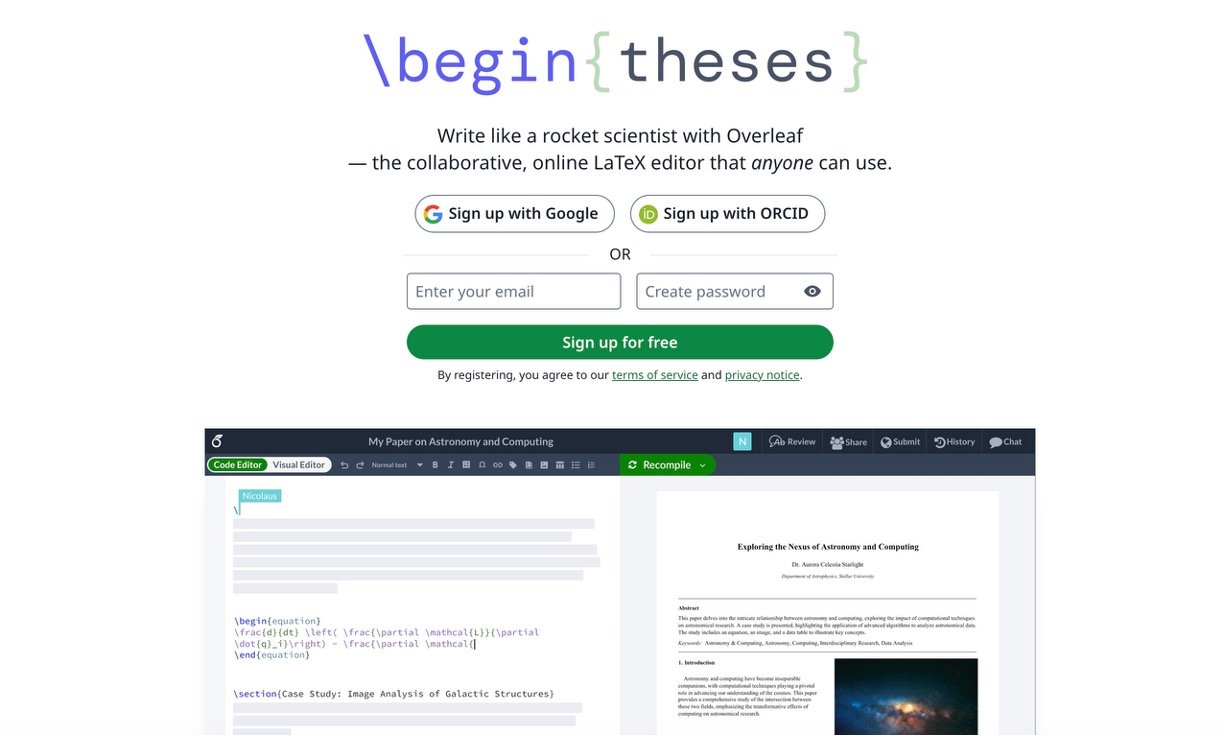
Overleaf is a browser-based LaTeX editor built for research papers, theses, technical reports, and academic presentations. Its biggest advantage is convenience: you can create professional documents without installing LaTeX or managing packages locally.
After using Overleaf, I found its real-time collaboration especially valuable. Co-authors can edit the same paper, leave comments, and review changes without emailing different document versions. The Visual Editor also makes LaTeX more approachable for beginners, while experienced users can work directly in the Code Editor.
Overleaf now includes AI tools for fixing LaTeX errors, improving academic language, creating equations and tables, and rewriting text. However, it is mainly a writing and publishing platform—not a literature discovery or research-analysis tool.
| Key feature | Our Rating |
| Real-time collaboration | 4.9/5 |
| LaTeX and Visual Editors | 4.6/5 |
| Academic templates | 4.8/5 |
| AI writing assistance | 4.1/5 |
| References and citations | 4.5/5 |
| Compilation performance | 3.7/5 |
| Overall value | 4.4/5 |
Key Features
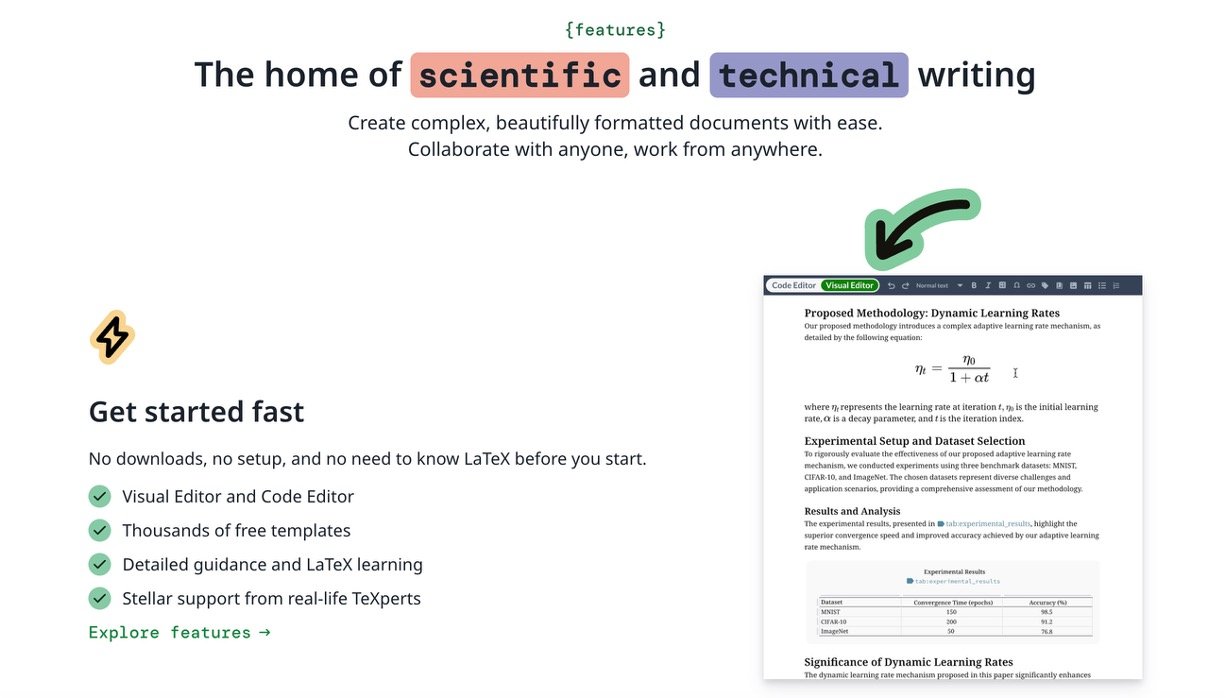
LaTeX and Visual Editing: Users can switch between a Word-like Visual Editor and the traditional LaTeX Code Editor. The live PDF preview shows how equations, citations, figures, and formatting will appear in the final document.
Collaboration Tools: Overleaf supports simultaneous editing, comments, document sharing, chat, and reviewer access. Paid plans add track changes and complete project history. This is where Overleaf performs better than most local LaTeX editors.
Academic Templates: Thousands of templates are available for journal articles, dissertations, CVs, reports, posters, and Beamer presentations. Many publishers provide official Overleaf templates, which can reduce formatting work before submission.
Overleaf AI: Its AI tools can explain compilation errors, recommend fixes, improve grammar and academic wording, paraphrase sections, summarize paragraphs, and generate titles or abstracts. It can also produce LaTeX equations and tables from prompts or images. The assistance is useful, but specialized commands can still produce incorrect suggestions, so researchers should check every AI-generated change.
References and Integrations: Premium users receive advanced reference search and integrations with Git, GitHub, Dropbox, Zotero, Mendeley, and ReadCube. These connections make Overleaf easier to include in an existing research workflow.
Pricing
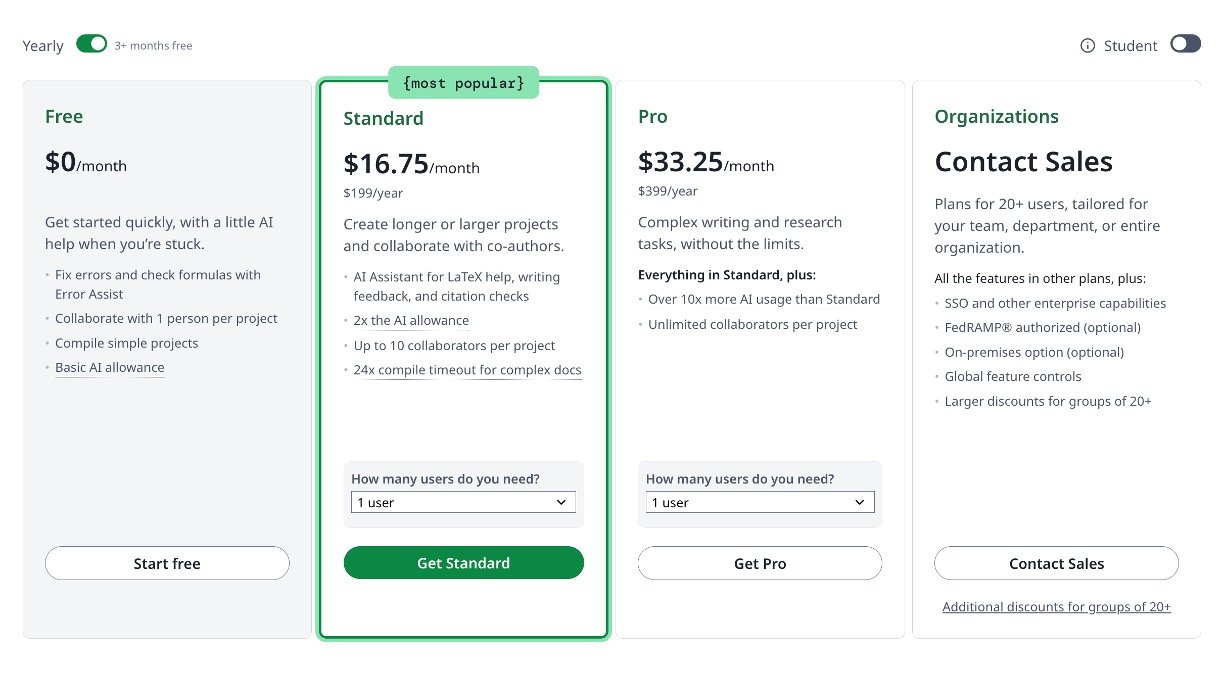
Overleaf offers the following individual plans in USD:
- Free: $0, unlimited projects, basic AI usage, one collaborator per project, and 24 hours of document history.
- Student: $13 monthly or $98 yearly. It includes the AI Assistant, ten collaborators, track changes, integrations, complete history, and longer compilation time.
- Standard: $25 monthly or $199 yearly. It adds a larger AI allowance and supports ten collaborators.
- Pro: $45 monthly or $399 yearly. It provides unlimited collaborators and more than ten times the Standard plan’s AI allowance, subject to fair-use limits.
- Organizations: Custom pricing for universities, departments, and companies.
Students should check whether their university already provides premium access before subscribing.
Pros, Cons, and Verdict
The main strengths are easy setup, excellent collaboration, professional LaTeX output, strong templates, and useful AI assistance. Common complaints include slow compilation for large projects, restrictive free-plan limits, internet dependence, and paid plans feeling expensive for solo writers.
Overall, Overleaf is one of the best academic writing tools for researchers who use LaTeX with co-authors. Individual experts who already work locally with Git may find less reason to pay, but for collaborative papers and student research teams, Overleaf remains an excellent choice.

