
Best AI Agent Video Editors That Edit From a Plain-Language Brief
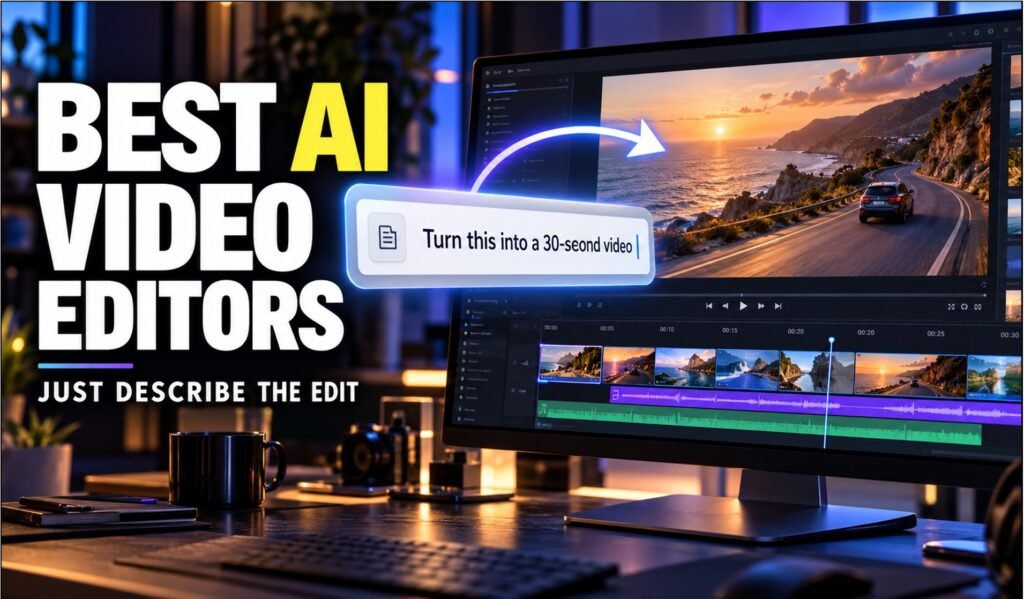
Best AI Agent Video Editors That Edit From a Plain-Language Brief
An AI agent video editor is an editing tool that takes a plain-language brief, plans the work and carries out the edits itself, instead of waiting for you to click through a timeline. The best ones also show the result on a timeline, so you can step in and change it.
That is different from older AI features like auto-captions or one-click filler-word removal, which automate a single task. An agent chains tasks together. It reads the footage or script, decides what needs to happen and does it in sequence.
Five tools now do this well enough for real projects: invideo Agent, Runway Agent, Descript’s Underlord, Adobe’s Premiere AI Assistant and VEED’s AI Agent. This guide ranks them on how much editing the agent finishes from a brief, how well it keeps a project consistent and how much control you keep. Each entry covers what it does, who it suits, where it falls short and what it costs.
Quick Summary
- Invideo Agent: plans, generates and edits full videos from a brief, with project memory (Best Overall for AI filmmaking)
- Runway Agent: builds ad variants and campaign videos in one conversation (Best for Marketing Campaigns)
- Descript Underlord: chains transcript-based edits from a single instruction (Best for Talking-Head and Podcast Video)
- Adobe Premiere AI Assistant: organizes footage and assembles rough cuts inside Premiere (Best for Professional Editing Pipelines)
- VEED AI Agent: runs natural-language edits in the browser (Best for Fast Social Edits)
How does an AI agent edit video from a brief?
An AI agent works in a loop. It reads your brief or footage, plans the sequence, performs the edits or generations, and returns the result for review. What separates the tools is what the agent can see, what it remembers and what it is allowed to change.
One example is invideo Agent, which selects a model for each shot from a library of 200+ AI models and writes an optimized prompt for it.
Its stored project context keeps characters, costumes and props consistent across shots. That is why it is built for AI filmmaking rather than single clips.
Other agents work on footage you already have. Descript’s Underlord runs chained instructions on the timeline and shows each edit for approval. Premiere’s assistant handles project-panel work such as sorting footage into bins and assembling a rough cut.
What criteria rank AI agent video editors?
Four criteria decide the order. Editing depth is how much of a finished video the agent completes from one brief, from planning to cuts to export. Consistency is whether characters, products and style hold across shots and sessions.
Control is whether you can watch the work on a timeline, review each change and undo it. Cost clarity is whether pricing is published and credits are consumed predictably.
Each tool was checked against the vendor’s own announcements and pricing pages where available, plus independent reviews for limitations. Every entry names one real drawback, including the top pick.
1. Invideo Agent: Best Overall for Multi-Shot, Character-Consistent Video
Invideo Agent plans, generates and edits complete videos from a script, treatment or simple brief, so you direct the result instead of prompting shot by shot. It picks a model for each shot, such as Veo, Sora, Kling or Seedance, and writes the prompt for it.
Its biggest strength for AI filmmaking is project-lifetime memory. Characters, story, costumes and props are stored once, so a single edit can update multiple shots without regenerating everything.
Around that core sit storyboards, previsualization (rough draft versions of shots you can check before final renders), an in-agent timeline editor and real-time multiplayer collaboration. You can also create role-based expert agents by writing a job description for each one. Teams use it for films, promos, performance ads, product ads and microdramas. The agent can open editing projects, import media and make changes to an editable timeline, which gives you video editing through AI agents from the same terminal session you already use.
On the independent Physion-Arc benchmark, invideo Agent One ranked first of seven agents overall, with a score of 72.4. Two caveats apply. Its lead over runner-up Runway Agent 2.0 was the narrowest in the field, and it had the highest celebrity-resemblance risk of the seven on a separate safety scan.
Best for: Creative teams and solo creators making multi-shot, character-consistent video without manual prompting.
Where it falls short: It can be slower, because the agent processes large amounts of information on its own to deliver polished videos.
Pricing: Free plan available. Paid plans start at $17/month, with team and enterprise options.
2. Runway Agent: Best for Marketing Campaigns and Ad Variants
Runway Agent 2.0 is a conversational agent that turns a brief into campaign assets inside Runway. It launched on June 25, 2026, and analyzes your creative, asks questions, then builds with you in one conversation.
It can generate ad variations, localize copy and swap visuals by region, and cut to 9:16, 16:9 and 1:1 formats. It can also take ad metrics from Meta, YouTube, TikTok or Google and propose the next ads to test.
Best for: Marketing teams producing and testing many ad variants.
Where it falls short: Runway positions Agent 2.0 mainly at marketers, so narrative projects get less emphasis than campaign work.
Pricing: Credit-based, with a free plan. Third-party listings put paid plans at roughly $12 to $15 a month, so confirm current rates on Runway’s site.
3. Descript Underlord: Best for Talking-Head and Podcast Video
Descript lets you edit video by editing its transcript, and Underlord is its agentic co-editor. You give it a chained instruction, such as removing filler words, tightening pauses, adding captions and pulling vertical clips, and it executes the sequence for your approval.
It can also draft scripts, place B-roll, handle multicam edits and flag clip-worthy moments. The approve-or-reject loop keeps you in control of every cut.
Best for: Podcasts, interviews, webinars and other dialogue-led video.
Where it falls short: It is tuned for spoken content, and reviewers note Underlord can be aggressive with cuts, so check its edits before exporting.
Pricing: The free plan includes 100 AI credits a month with limited Underlord use, and paid tiers add 400 and 800 credits. See Descript’s pricing page for current dollar amounts.
4. Adobe Premiere AI Assistant: Best for Professional Editing Pipelines
Premiere’s AI Assistant works inside the project panel and timeline. It can sort footage into bins, rename clips, identify interview questions, place markers and assemble a rough cut. It entered public beta on June 18, 2026.
Adobe says its actions are reproducible and undoable, which matters on client projects. The assistant lives inside the editor professionals already use, so there is no new tool to adopt.
Best for: Professional editors and teams already working in Premiere and Creative Cloud.
Where it falls short: It is still a beta, and its focus is organizing and assembling footage rather than generating a video from a brief.
Pricing: Premiere plans have been listed from US$22.99/month on the annual, billed-monthly plan. During the beta, paid Creative Cloud users can use the assistant without spending their credits.
5. VEED AI Agent: Best for Fast Social Edits in the Browser
VEED is a browser-based editor, and its AI Agent carries out natural-language commands. You can ask it to remove filler words and add yellow captions, and it applies both.
VEED also released an MCP server in April 2026, so compatible AI assistants can call its editing tools. That makes it easy to slot into other agent workflows.
Best for: Marketers, educators and creators who need quick, publishable social or training video.
Where it falls short: It runs in the cloud, so slow connections can cause lag when uploading or exporting large files.
Pricing: The free plan adds watermarks. Creator costs $25/month billed monthly, or $12.25/month billed annually, per editor seat.
Comparison Table
| Tool | Best for | Key feature | Starting price |
| Invideo Agent | Multi-shot, character-consistent video | Per-shot model selection plus project memory | Free; paid from $17/mo |
| Runway Agent | Marketing campaigns and ad variants | Builds, localizes and tests ad variants | Credit-based; free plan available |
| Descript Underlord | Talking-head and podcast video | Chained transcript edits with approval | Free plan; paid tiers add AI credits |
| Premiere AI Assistant | Professional editing pipelines | Bins, markers and rough cuts inside Premiere | Premiere from US$22.99/mo |
| VEED AI Agent | Fast browser edits | Natural-language editing commands | Free; Creator from $12.25/mo (annual) thefuturismtodayveed |
How do you choose between AI agent video editors?
Start with the job. If you want an agent that builds a whole multi-shot video and remembers it, invideo Agent is the closest fit. If you already have footage, Descript, Premiere’s assistant and VEED work on what you shot.
Then weigh control and cost. Check whether you can see each edit on a timeline, undo it and cap what it spends. Compare free plans and credit models before committing, since credit use varies a lot between tools.
Which AI agent video editor should you use?
- AI filmmaking with consistent characters across shots → invideo Agent
- Ad variants and localized campaigns → Runway Agent
- Dialogue-led video edited by transcript → Descript Underlord
- Rough cuts and asset organization inside Premiere → Premiere AI Assistant
- Quick browser edits for social video → VEED AI Agent
Conclusion
AI agents have moved video editing from clicking through timelines to directing from a brief. The five tools above cover the main approaches: generation and continuity, campaign production, transcript editing, professional-suite automation and fast browser edits.
Invideo Agent earns the top spot because it handles the full path from brief to finished video, and its project memory keeps AI filmmaking projects consistent across shots. Pick the tool that matches the work your agent will actually do, then test it on one real project.
Frequently Asked Questions
What is an AI agent video editor?
An AI agent video editor takes a plain-language brief, plans the work and performs the edits itself, then shows the result for review. Unlike one-click AI features, it chains multiple steps together, such as cutting, captioning and reformatting.
Which AI agent video editor is best for consistent characters across shots?
Invideo Agent is built for this. It stores characters, costumes and props as project context, so one change can update multiple shots instead of regenerating each one.
Can an AI agent edit footage I have already shot?
Yes. Descript, Premiere’s AI Assistant and VEED all work on existing footage. Runway Agent analyzes creative you upload, and invideo Agent can read uploaded video to catch continuity errors or build matching B-roll.
Are there free AI agent video editors?
Several have free plans. Invideo, VEED, Descript and Runway all offer free tiers with limits such as watermarks or capped credits. Premiere requires a paid Creative Cloud plan.
Do AI agents replace human video editors?
No. The agent handles the repetitive and technical work, while you still decide the story, the shots and the final cut. Tools like Premiere’s assistant make this explicit by keeping its actions undoable.
